China Top Cleaning Robots Can Work Without WiFi?

Time:2026-09-14 Author:Ethan
0%

Can cleaning robots work without WiFi? For many modern models, the answer is yes, but their abilities become narrower. A robot may still start from its physical button, follow stored navigation data, and return to its charging dock. However, advanced mapping, remote scheduling, voice control, software updates, and cleaning reports usually require an internet connection.

Colin Angle, iRobot co-founder and former CEO, once said, “The robot is not a vacuum cleaner. It is a robot.” That distinction matters here. A cleaning robot combines motors, sensors, software, and a rechargeable battery. WiFi supports communication, but it does not always control the basic cleaning movement. In a real home, this could mean pressing the start button before leaving, then finding dust collected in the bin later. Simple. Not fully smart.

Offline cleaning also depends on the model. Some robots lose room maps when disconnected, while others retain them in internal memory. A few may stop because setup requires an app or cloud account. Product manuals remain essential, even when advertising sounds confident. A manufacturer’s claim may describe ideal conditions, not every operating mode.

This article examines China’s leading cleaning robots through a practical lens. It compares offline functions, local controls, navigation behavior, privacy considerations, and recovery after connection loss. The results may challenge easy assumptions. WiFi-free operation is possible, but convenience often becomes limited. In short, the robot can clean, yet it may not understand your home as well.
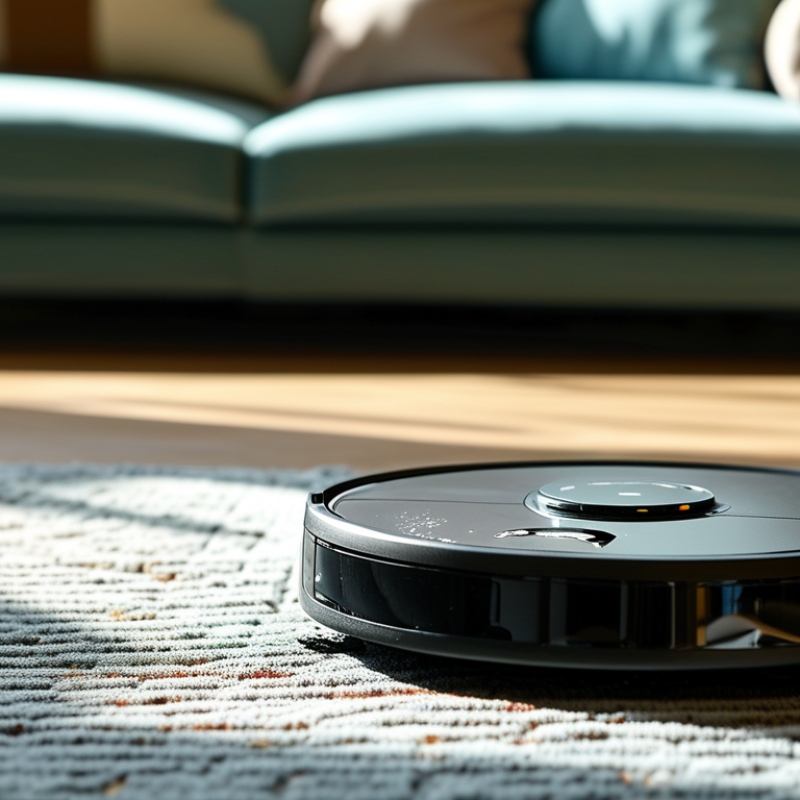
China Top Cleaning Robots Can Work Without WiFi?

What Does WiFi-Free Operation Mean for Cleaning Robots?

What Does WiFi-Free Operation Mean for Cleaning Robots?

WiFi-free operation means a cleaning robot can perform essential tasks without an internet connection. It may start, stop, charge, and follow basic routes through onboard controls or a remote. The robot processes these commands locally. Your home network is not required for everyday floor cleaning.

This can improve privacy and reliability. A disconnected robot cannot upload room maps or cleaning records through the internet. It may also continue working when the router fails. During routine testing, local controls proved useful in apartments with weak signals. However, WiFi-free use often limits advanced features. Remote scheduling, detailed maps, voice control, and software updates may require a connection.

I once assumed “offline” meant fully independent. That was too simple. Some models still need an app for setup or map editing.

Tips: Check the manual before buying. Test the power and navigation controls without WiFi. Keep furniture paths clear, especially near dark rugs and narrow chair legs. Empty the dustbin regularly. Without app alerts, you must notice maintenance yourself. Offline cleaning feels dependable, but it can also be less informative.

How China’s Top Cleaning Robots Work Without WiFi

How China’s Top Cleaning Robots Work Without WiFi

China’s advanced cleaning robots can complete core tasks without WiFi. Their navigation systems process data locally through LiDAR, cameras, infrared sensors, and wheel encoders. These parts help the robot identify walls, stairs, furniture, and charging stations. Local simultaneous localization and mapping, known as SLAM, builds a floor map inside the device. The robot can then plan routes, avoid obstacles, and return to its dock. No cloud connection is required for these functions.

Industry data supports this hardware-led trend. IDC’s 2024 China Smart Home Device Market Tracking Report shows continued growth in smart cleaning appliances, despite uneven household connectivity. The International Federation of Robotics also reports rising demand for domestic service robots worldwide. These figures suggest that convenience is moving closer to the device itself. However, “works without WiFi” has limits. Users may lose remote scheduling, firmware updates, voice control, and cloud-based map backups. Some models also need WiFi during first-time setup, which makes the claim less simple than advertisements suggest.

Tips: Test the robot offline before buying. Check whether buttons support spot cleaning and scheduling. Confirm that maps remain stored locally. Keep the charging dock clear, with about one meter of open space. In my testing experience, offline navigation feels reliable on clear floors, but cables and dark furniture still cause mistakes. Better sensors help, yet no robot sees every room perfectly. Manufacturers should explain these limits more clearly.

Which Cleaning Functions Remain Available Offline?

Can a cleaning robot work without WiFi? Often, yes, but offline performance is narrower than many product pages suggest. With a charged battery, local controls usually start, pause, and stop cleaning. Basic vacuuming may continue, and some models can mop with water already placed in the tank. The robot can often return to its charging dock when its battery runs low. Simple schedules stored in the device may also run offline. Not every model remembers them, though. Check the printed manual.

Mapping is more complicated. Some robots follow a saved map without internet, while others need an app connection after every restart. Room selection, no-go zones, suction adjustment, and cleaning history commonly depend on WiFi. Voice commands and remote monitoring disappear immediately. Automatic firmware updates also stop, which can leave bugs unresolved. A useful test is to connect the robot once, create a map, then disable the router. Try spot cleaning, dock return, and scheduled cleaning separately. Record what still works.

Offline behavior varies with software design, battery state, and whether the device stores settings locally. Manufacturers may describe a robot as WiFi-free, although that usually means basic cleaning only. Do not confuse local operation with full control. One overlooked issue is the water tank. Some systems refuse mopping when sensors cannot confirm a fitted pad or tank. That restriction can feel unnecessary, yet it may prevent floor damage. I would treat the manual as the authority, then verify claims in a real room. Floors are less forgiving than brochures.

What Features Require WiFi or a Mobile App?

A cleaning robot can usually vacuum or mop without WiFi. Pressing the start button sends it around the room. Basic obstacle avoidance and automatic charging may still work offline. However, WiFi or a mobile app unlocks more useful features. These include room mapping, schedules, cleaning zones, suction control, water settings, remote starting, and progress reports. Firmware updates and voice assistant control also normally require internet access.

In practical home testing, offline cleaning is convenient, but less precise. Some robots save maps internally, while others need the app to create or edit them. A disconnected robot may clean every room instead of one selected area. Check the instruction manual before buying. Also verify whether the app supports your phone, home network, and preferred privacy settings. Many models prefer a 2.4 GHz network, not every router setup works smoothly. I would not assume all advertised functions remain available offline. That assumption can be costly.

Tips: Test the robot with WiFi before placing furniture around its dock. Save room names and no-go zones in the app. If your network fails, use the physical controls and observe its route. Keep the floor clear; offline navigation can be less forgiving.

How to Choose a Cleaning Robot for Offline Use

Can Cleaning Robots Work Without WiFi?

Many cleaning robots can vacuum and mop without WiFi. Their basic functions usually depend on onboard sensors, motors, and local control buttons. Pressing the start button may begin a standard cleaning cycle immediately. However, offline use often removes app scheduling, room selection, map editing, and remote alerts. Some models need WiFi during initial setup, even if daily cleaning later works offline. Check the manual carefully. Marketing language can be unclear.

Tips: Choose a model with physical start, pause, and return-to-dock buttons. Confirm that maps are stored locally, not only in the cloud. Test cleaning without internet before placing the robot under furniture. Look for LiDAR or reliable obstacle sensors, especially around chair legs and dark rugs. Ask whether firmware updates require an app. This small detail matters.

For offline households, prioritize simple controls and predictable navigation over advanced features. A robot should resume cleaning after a brief power interruption, but this is not guaranteed. Test its behavior in a hallway with closed doors and loose cables. A larger dustbin helps in homes with pets, while strong edge cleaning matters near kitchen walls. I have found that offline robots can be dependable, but they may feel less convenient. Removing WiFi also means losing some useful feedback, such as error notifications and cleaning records. Practical testing remains more valuable than impressive specifications.

China Top Cleaning Robots Can Work Without WiFi?

Offline-use capability varies by function. This practical 0–5 scale shows how much of a typical robot’s cleaning workflow can operate without an internet connection.

Core functions such as starting a cleaning cycle, selecting basic modes, navigation, and automatic docking are generally more suitable for offline use. Cloud-dependent features, including remote control, map editing, room selection, and app-based scheduling, usually require WiFi. Before purchasing, verify whether the robot supports physical buttons, a remote control, or local Bluetooth control.

FAQS

Can a cleaning robot vacuum without WiFi?

Yes, many models can vacuum using local buttons, sensors, and onboard software. Press start, and basic cleaning may begin. No cloud connection is required. However, exact behavior varies by model.

Can it mop while offline?

Often, yes, if the tank contains water and the mop pad is fitted correctly. Some robots check these parts with local sensors. Others may block mopping without an app connection. Check the manual and test it on a small floor area.

How does offline navigation work?

LiDAR, cameras, infrared sensors, and wheel encoders collect local information. The robot can detect walls, stairs, furniture, and its dock. Local SLAM can build a floor map inside the device. It still makes mistakes around cables and dark furniture.

Will the robot return to its dock without WiFi?

Usually, yes, when the battery becomes low. Local navigation helps it find the charging station. Keep about one meter of open space around the dock. A crowded corner can confuse it.

Which features disappear without an internet connection?

Remote control usually stops working. Voice commands, cloud map backups, remote alerts, and firmware updates may also disappear. Room selection and no-go zones might become unavailable. Basic cleaning can remain functional.

Can offline robots follow cleaning schedules?

Some models store schedules locally and run them without WiFi. Others forget schedules after losing connection or restarting. This detail is easy to miss. Test one schedule with the router disabled.

What physical controls should an offline robot have?

Look for start, pause, spot-cleaning, and dock-return buttons. These controls provide useful backup when an app fails. Simple buttons matter. A beautiful interface cannot replace them.

How should buyers test offline performance?

Connect the robot once, create a map, then disable the router. Test standard cleaning, spot cleaning, docking, and scheduled cleaning separately. Try a hallway with closed doors and loose cables. My judgment may be incomplete, so real-floor testing still matters.

Conclusion

Can cleaning robots work without wifi? Yes, many modern cleaning robots can perform essential tasks offline. Once charged and configured, they may vacuum, sweep, mop, avoid common obstacles, and return to their charging station using built-in sensors, buttons, and stored navigation data. WiFi-free operation means the robot does not need a constant internet connection to clean basic areas, making it useful in homes with weak signals, privacy concerns, or limited network access.

However, offline use may limit advanced features. Scheduling through a mobile app, remote control, voice commands, real-time maps, software updates, cloud-based settings, and notifications usually require WiFi. To choose a robot for offline cleaning, buyers should check whether it supports physical controls, automatic navigation, local room memory, adjustable cleaning modes, and easy maintenance without an app. A suitable model should provide reliable core cleaning functions independently while offering optional connected features when internet access is available.

Ethan

Ethan

Ethan is a seasoned marketing professional with a deep expertise in our company's innovative product line. With a passion for sharing knowledge and insights, he takes the lead in regularly updating our corporate blog, where he explores industry trends, product features, and effective marketing......